
Apache
Apache 错误日志文件在httpd.conf中配置,其中ErrorLog就是配置日志文件路径和文件名。
    #
    # ErrorLog: The location of the error log file.
    # If you do not specify an ErrorLog directive within a <VirtualHost>
    # container, error messages relating to that virtual host will be
    # logged here.  If you *do* define an error logfile for a <VirtualHost>
    # container, that host's errors will be logged there and not here.
    #
ErrorLog "path/to/apache_error.log"需要设置显示的日志级别,通过LogLevel设置。
当设置error级别时,启动/关闭 Apache 会记录[notice]日志:
[Thu Aug 02 10:19:10 2018] [notice] Digest: generating secret for digest authentication ...
[Thu Aug 02 10:19:10 2018] [notice] Digest: done
[Thu Aug 02 10:19:10 2018] [notice] FastCGI: process manager initialized (pid 97215)
[Thu Aug 02 10:19:10 2018] [notice] Apache/2.2.34 (Unix) mod_wsgi/3.5 Python/2.7.13 mod_fastcgi/2.4.6 DAV/2 mod_ssl/2.2.34 OpenSSL/1.0.2j mod_perl/2.0.9 Perl/v5.24.0 configured -- resuming normal operations
至于 Apache 访问日志,对于 Web 开发极度重要!
开启方法:找到<IfModule log_config_module>配置块,CustomLog表示日志路径,common表示只记录访问,combined表示记录详细访问日志,参考
    #
    # The location and format of the access logfile (Common Logfile Format).
    # If you do not define any access logfiles within a <VirtualHost>
    # container, they will be logged here.  Contrariwise, if you *do*
    # define per-<VirtualHost> access logfiles, transactions will be
    # logged therein and *not* in this file.
    #
    #CustomLog "/Applications/MAMP/logs/apache_access.log" common

    #
    # If you prefer a logfile with access, agent, and referer information
    # (Combined Logfile Format) you can use the following directive.
    #
PHP 错误
PHP 错误日志,开启方式
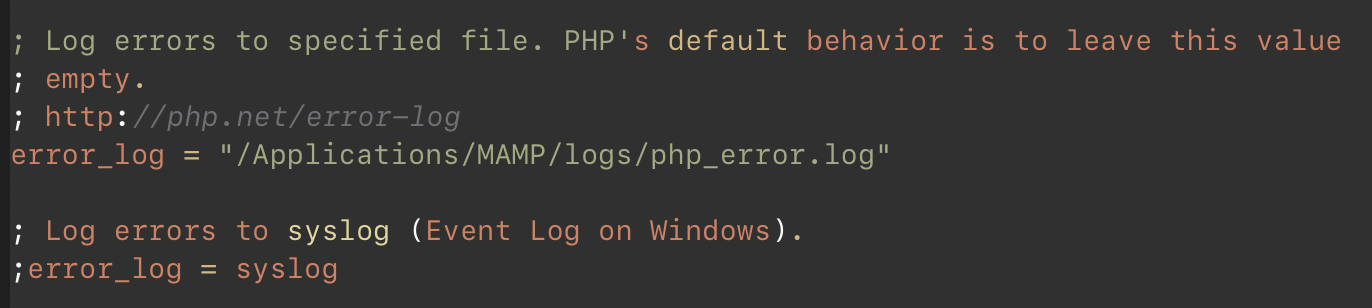
凡是 PHP 运行的错误/警告/通知,都会记录到日志。通过error_reporting可以筛选显示的级别
日志文件可通过以下设置
ini_set('error_log', 'path/to/php_error.log');
PHP 错误/异常
参考以下文章:
https://segmentfault.com/a/1190000014977430
https://www.zhaoyafei.cn/content.html?id=170641242245
MySQL Log
对于 5.6,修改 my.cnf 文件的配置项:
# General Query Log
log_output = FILE
general_log = ON
general_log_file = /path/to/mysql_query.log